This has been an amazing week! First, this is my first time back running since May. I had tried getting back into running earlier in the year, but I was having a lot of back and knee issues, so I had decided to focus on strength training and reconditioning myself. So far it has paid off. I have felt great during and after my runs. Granted, I cannot run very far or for too long, but I am feeling great and that is all that matters!
Second, this is first running race I am training for in over 2 years. And what am I running for my first race? Well, a Disney race of course! I will be running in the Disney Star Wars Virtual Half Marathon. The time period I need to complete the run is between 1/1/2021 and 3/31/2021. My goal is to run 3/20/2021. That should give me enough time to complete the race.
My Plan
Galloway all the way! I have always been a running purist, or what I like to call ignorant. I have always believe there is one way to run; by running. Walking doesn’t count. Well, that is garbage, because everyone has different levels of fitness and possible health or wellness impacts. I won’t vent much more, but I will say that I want everyone to know that what you do is all that matters. If you need to mostly walk, that’s great. If you can run most of the time, great. If you can run the whole time, great. Regardless, getting out there, having proper gear and proper form, that’s all that matters.
Back to the plan. I will be shooting for a 9 min/mile pace, using the Galloway 2 min run, 30 second walk strategy. I was able to determine that I would run at 6.8 mph during the run segment, and walk at 3 mph during the walk segment.
Gear
I know I have been a Garmin fanatic for a long, long time, but I recently switched to Apple Watch 3. I have to say, I am loving it. I’ll be writing up some details on that in a later post. I wanted to use Nike Run Club or something else to try and do intervals for Galloway, but most of the apps I found don’t sync properly with Apple Fitness, and closing rings has played a major role in my workout consistency. Therefore, I am just using Apple’s native workout app.
With air quality being all over the place and it getting closer to winter, I will being doing almost all of my training on my ProForm 905 CST treadmill. I am not really into workout things like iFit, so I am not able to plug in the intervals into the treadmill either, which is kind of a bummer, but I cannot justify the monthly fee for the convenience.
Shoes will be Ons as always. I am using On Cloudflow. At some point I am going to be looking into Allbird’s running shoes, since they are manufactured sustainably.
Aside from the basics there, I’ll be training with music-only. I really want to be watching some shows or movies, but having to adjust every 2 minutes and then 30 seconds is too tough to pay attention to anything on my iPad or TV. I recently got the Apple AirPod Pros, and I have to say they are killing it! The noise reduction is amazing, so I don’t need to blast the music. Also, they fit my eats perfectly, which has been an issue with all other brands I have tried. I personally do not like over or behind-the-head headphones, nor am I a fan of over-the-ear. And that’s pretty much it. From my triathlon and racing days, I have learned that less is more. I am able to focus on what’s important, instead of being bombarded with data I won’t ever use. I will eventually get into Boston training mode, but that is a bit further out, so I’ll worry about that when the time comes.
Nutrition
My nutrition is pretty basic for this training, which has been a huge relief, since I was always stressed about triathlon nutrition planning. I am pretty much using a single Nuun Sports tab for each workout. It’s more than enough to give me the energy and hydration I need. I switch between Cherry Limeade + Caffeine and Wild Berry + Caffeine. Other than that, depending on how I feel afterwards, I’ll probably have a Honey Stinger Waffle.
Run 1
My first run was Tuesday 11/3/21. As you can see, I tried starting the workout from the Nike Run Club app so it would run on my Apple Watch. Even though I set it to indoor, it still tried to track GPS, and it also thought I was running “with” the phone. Therefore, as you can see, I have 2 different workouts tracked: 1 from my watch, 1 from my phone.
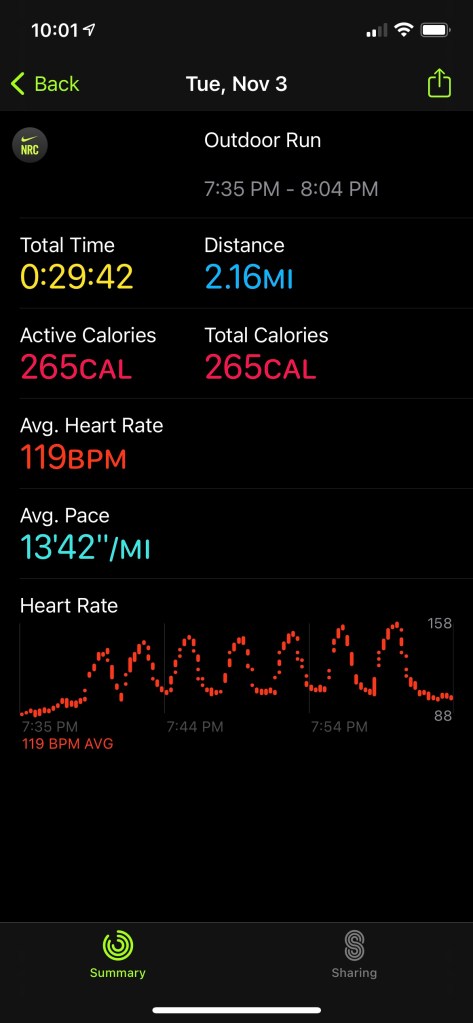
I was supposed to do 6 intervals, but I ended up doing 7, because I lost count. Oops. This run was more of a test to see which pace I could handle for my internal and pace training. I started with 6 mph, and worked up to 7.2 mph. I can definitely get up to 7.2 with no problem, but it is not sustainable at all. I found 6.8 mph to be the sweet spot. I am using a 1% grade as well on the treadmill. For anyone trying to figure out pace for a treadmill, I found a free calculator that works pretty well at the Run Hive website. I did need to adjust slightly to account for my 30 second walk intervals though.
Learning Note:
- Initiate the run from the watch.
Run 2
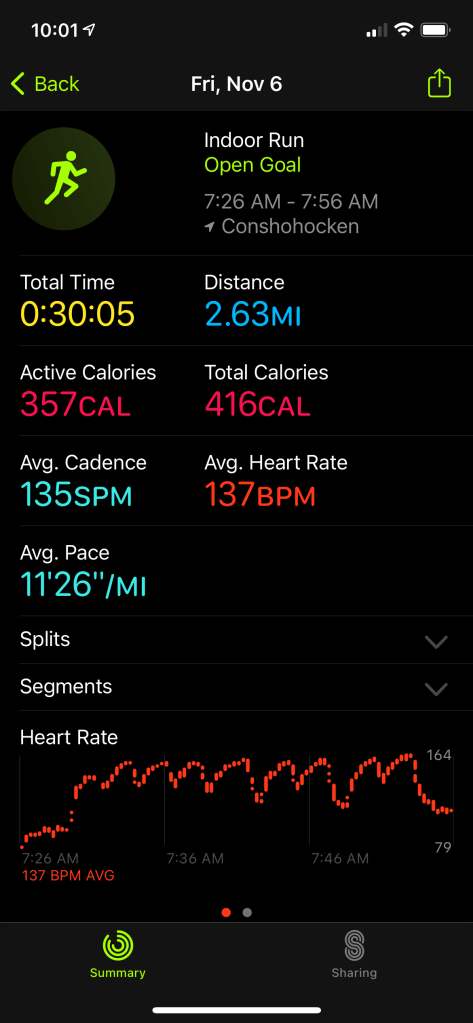
My next run was Friday 11/6/20. I was supposed to run on Thursday, but I had other priorities come up. This run went very well. For starters, I used the Apple workout app on the watch and selected an indoor run. Even though it doesn’t allow you to customize intervals, you can double-tap the screen to mark segments. This was really useful for analysis. Overall, I was able to keep the 2/30 method, with a slightly longer break towards the end.
Run Summary 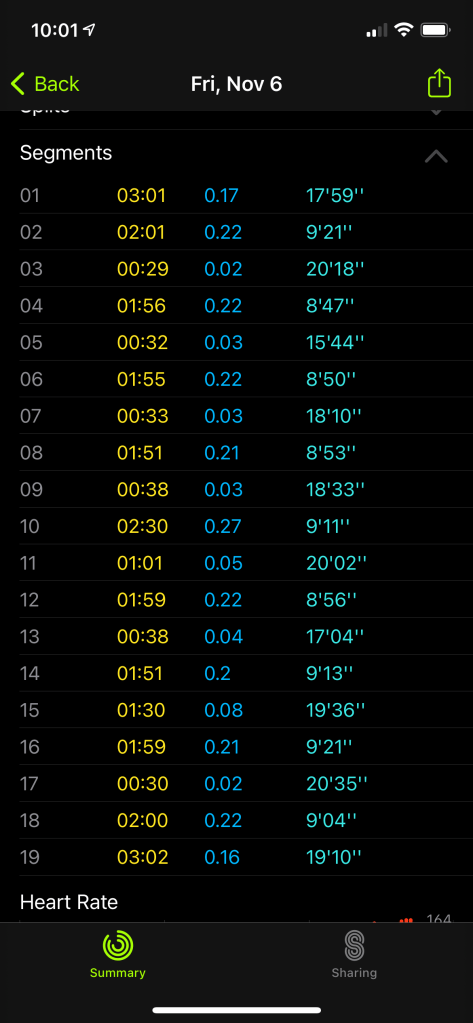
Segments 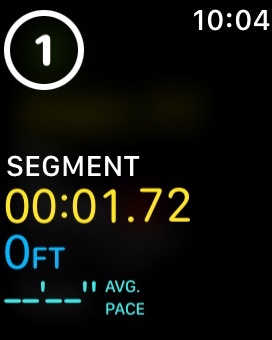
Apple Watch – Run Segment
Run 3
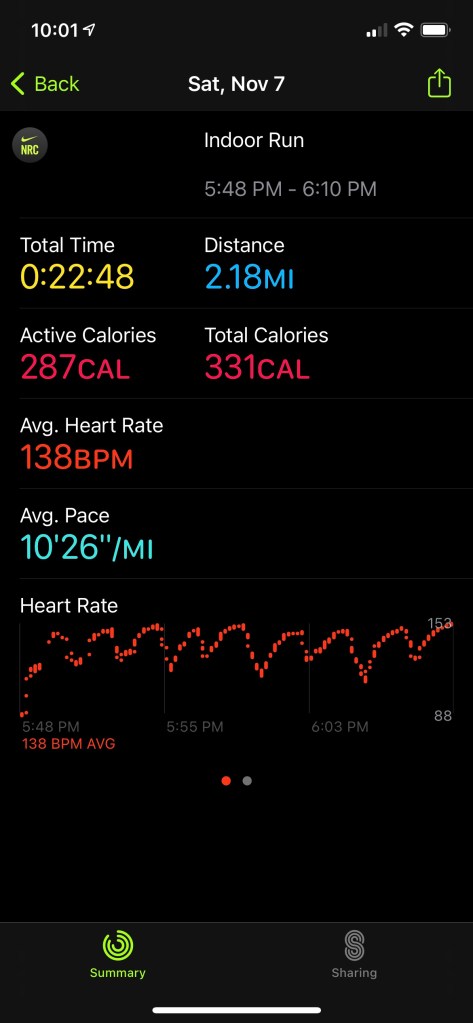
My final run of the week was Saturday, 11/7/20, and it was my long run. The plan was 2 miles. Although I would typically prefer to have a day rest, I was going hiking all day Sunday so I didn’t want to then try to run after. I decided to try out using the Nike Run Club app on my watch to start. I made sure it was noted I was doing an indoor run. The app overall worked, but not how I had hoped. There is no lap function, so I didn’t have my segments to review afterward. I definitely won’t be using the Nike app for tracking my runs.
I also made a mistake, which I later corrected; started out my long run at my race page. Due to my legs still being tired, my knees immediately started yelling at me. Therefore, after some trial and error, I landed at 6 mph for my long run. Once I got to 6 mph, my knees and the rest of me felt comfortable with no issues.
Overall, I got in just over 2 miles for my planned long run and it was great.
Learning Notes:
- Remember to use a slower pace for long runs
- Nike’s Running app on the watch is a major let-down for indoor training. It really doesn’t display important metrics or allow for manual lap or interval recording.
- Nike Run Club app is a major let-down for using it’s Coaching Plans. I could not pair my run, which I used the NRC Apple Watch app to record, to count on my NRC app Coaching Plan. Therefore, when I tried to manually add the run, it add a brand new workout into Apple Fitness.
 A techie's fitness life